
Miss the simplicity of your old Task Manager? Activity Monitor is cluttered and confusing. TK-mac brings an intuitive, powerful, and beautiful system monitor to macOS.

The clean, intuitive layout you miss, perfectly adapted for macOS.
Easily separate your apps from background tasks. Force quit safely.
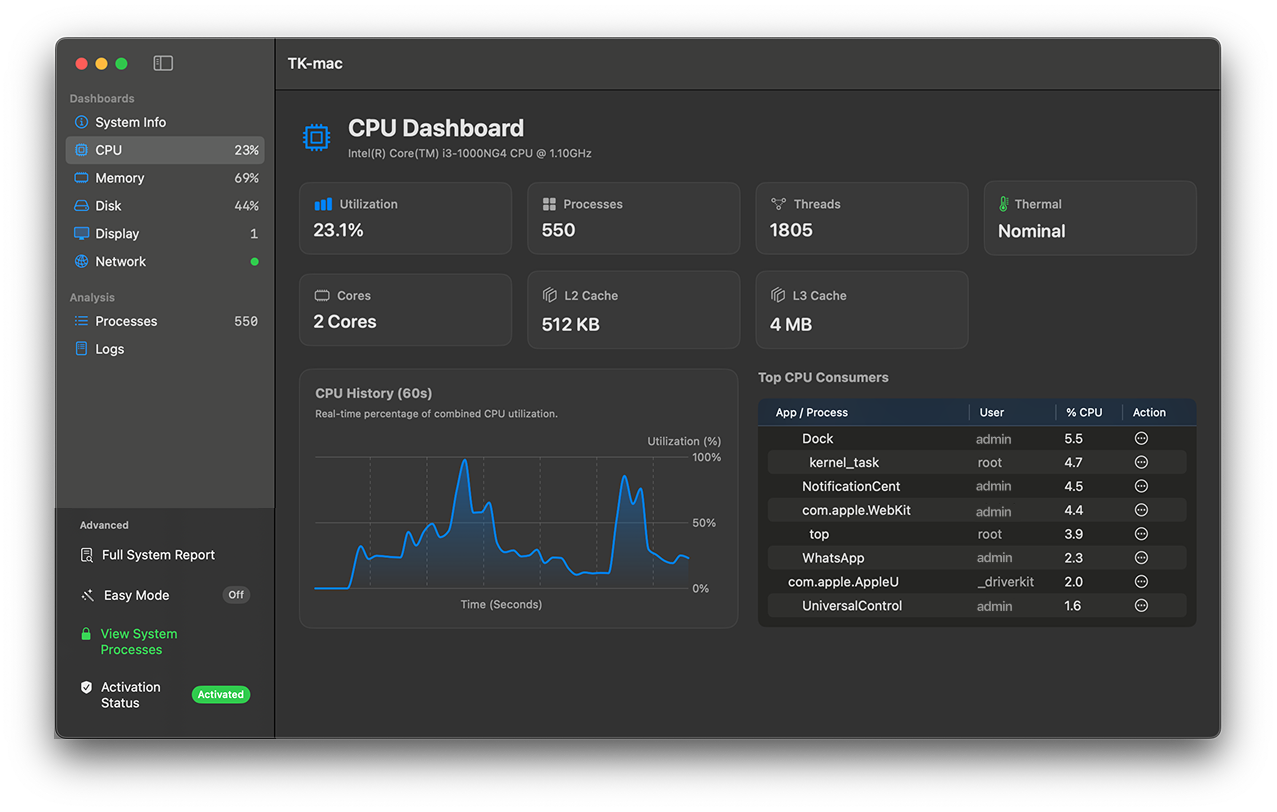
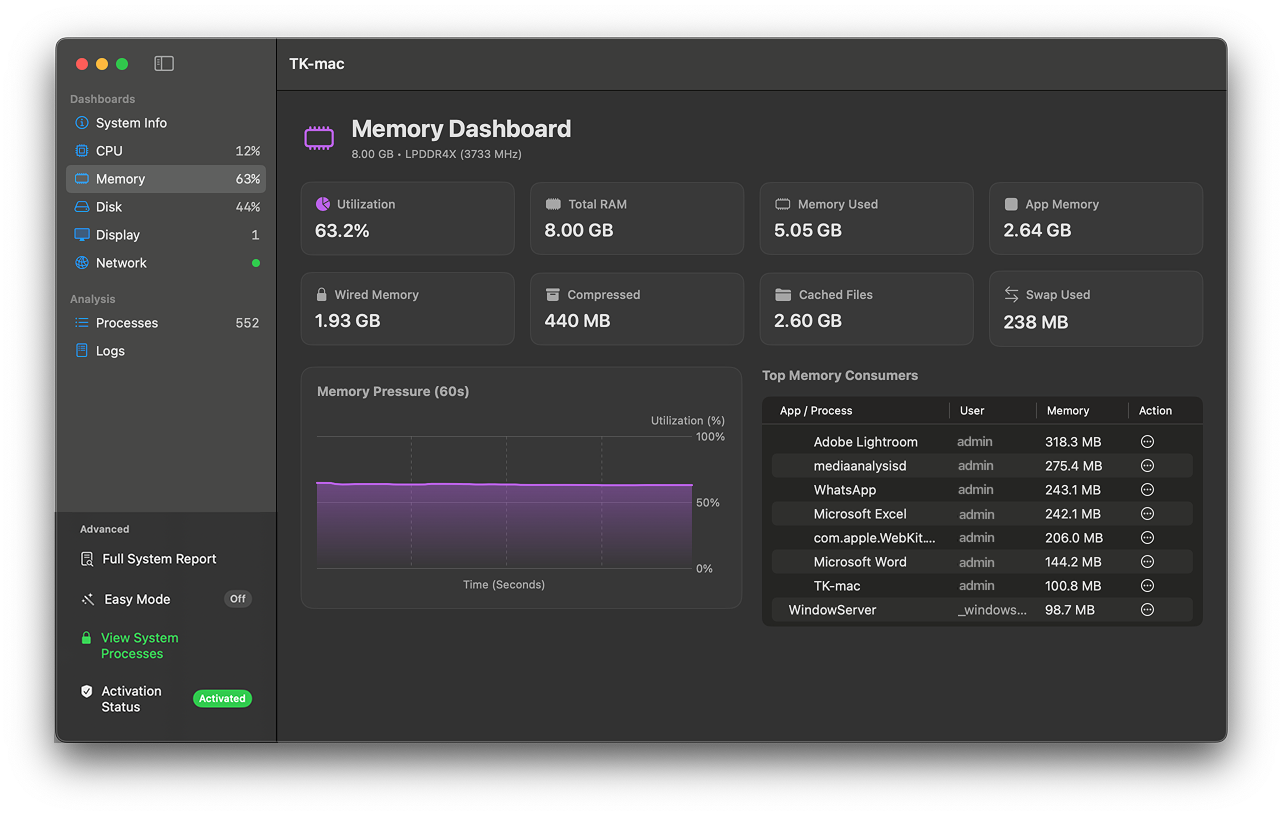
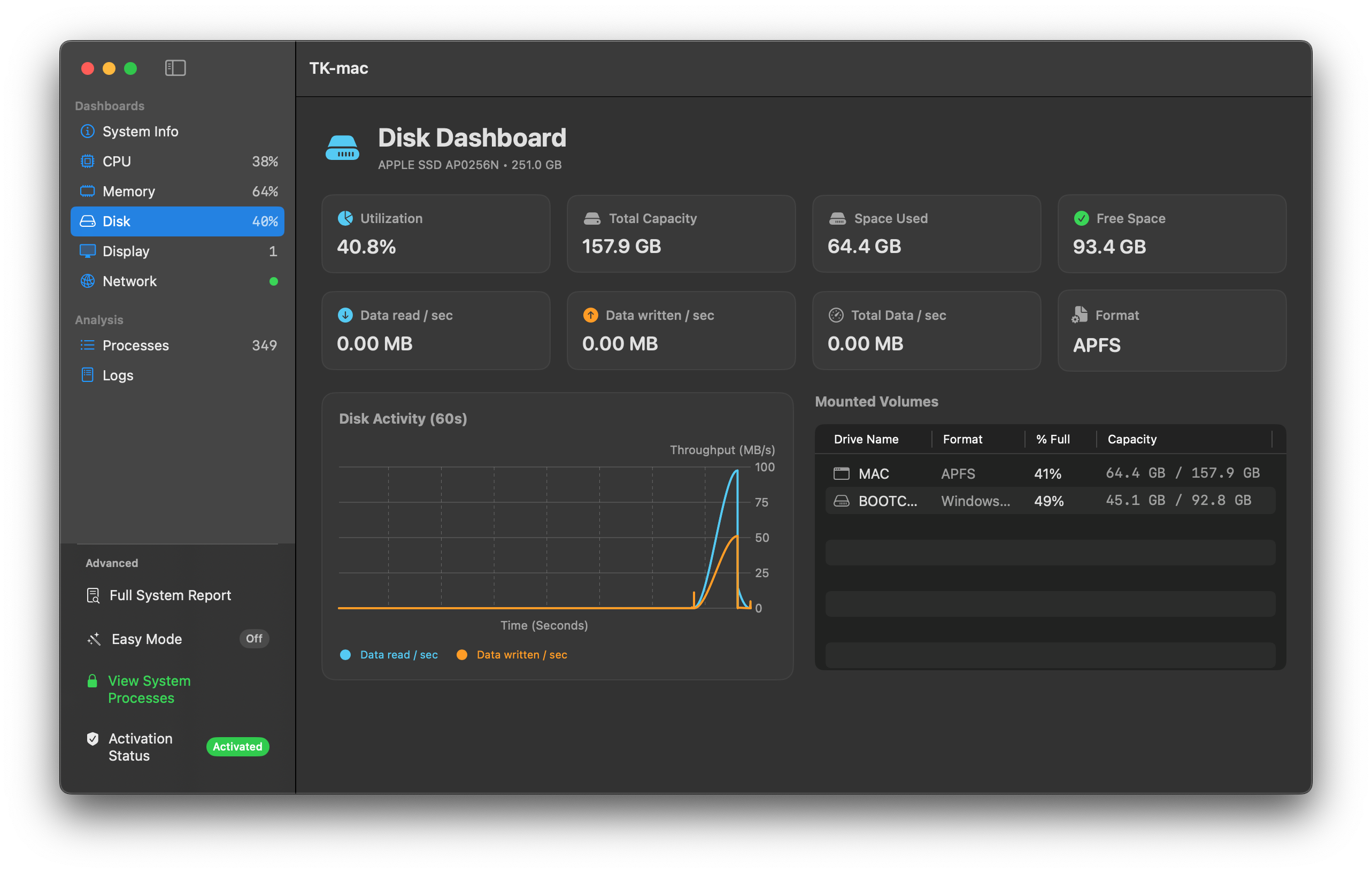
Monitor CPU, Memory, and Disk usage in real-time with zero lag.
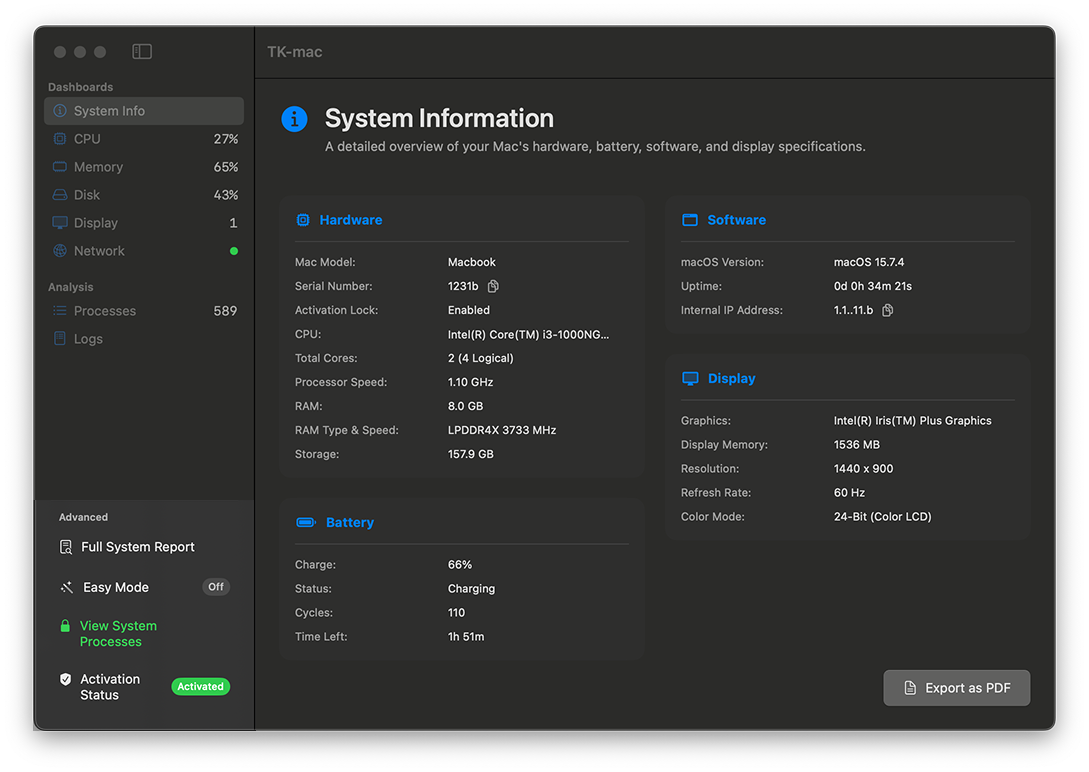
Get instant clarity on what's driving your machine. View critical system information at a glance, manage rogue tasks, and generate comprehensive hardware reports effortlessly.
Export your system specifications to a formatted PDF for sharing or troubleshooting.
View crucial details like exact CPU architecture, RAM bandwidth, thermal states, and battery cycle counts instantly.
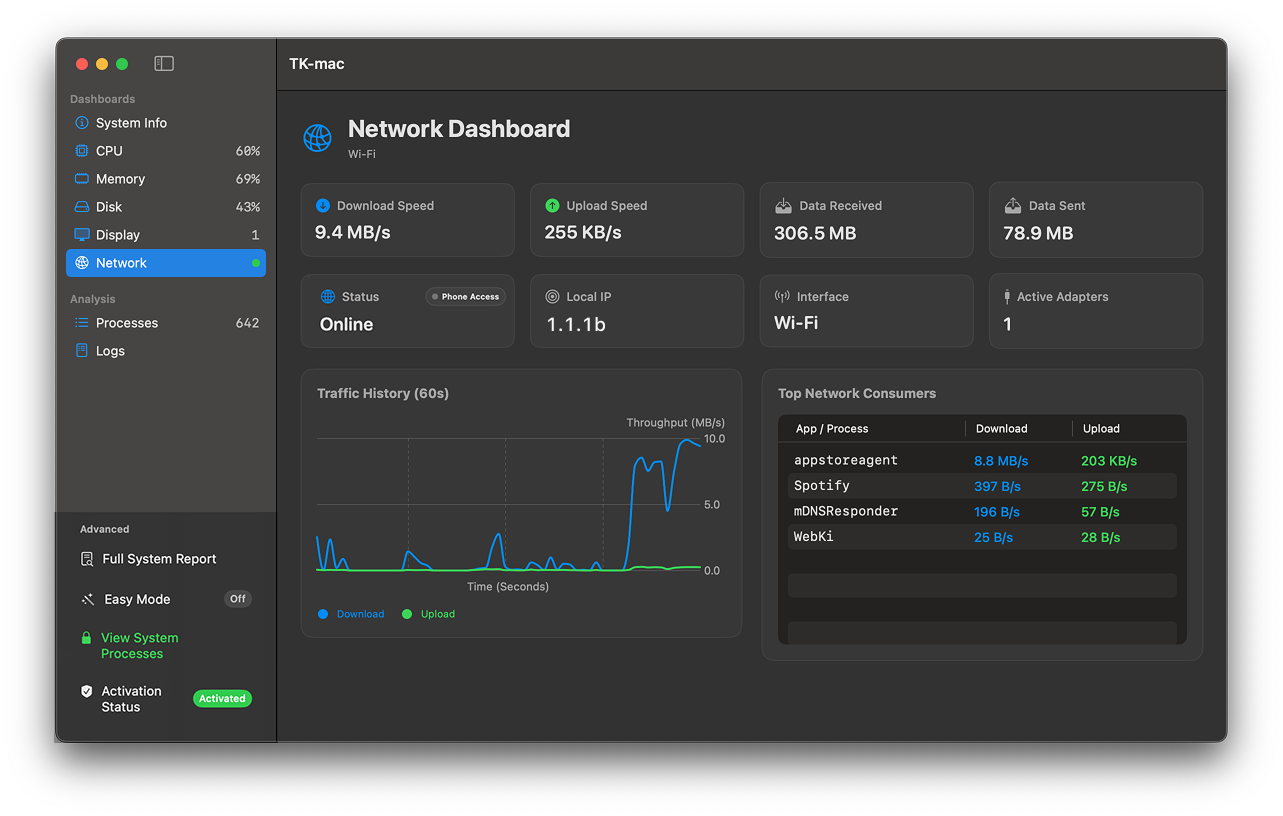
Track live upload and download speeds for every Process. Instantly identify which processes are hogging your bandwidth or making unauthorized connections.
Manage your Mac right from the top of your screen. Monitor resource hogs and execute powerful commands without ever opening the main application window.
Instantly view a live, ranked list of the applications consuming the most resources directly from your dropdown menu.
Take immediate action on misbehaving apps. Quickly Pause, Restart, or Force Quit individual processes on the fly.
System completely frozen? Use the one-click Force Quit All Apps command to instantly terminate all user processes and reclaim your Mac.
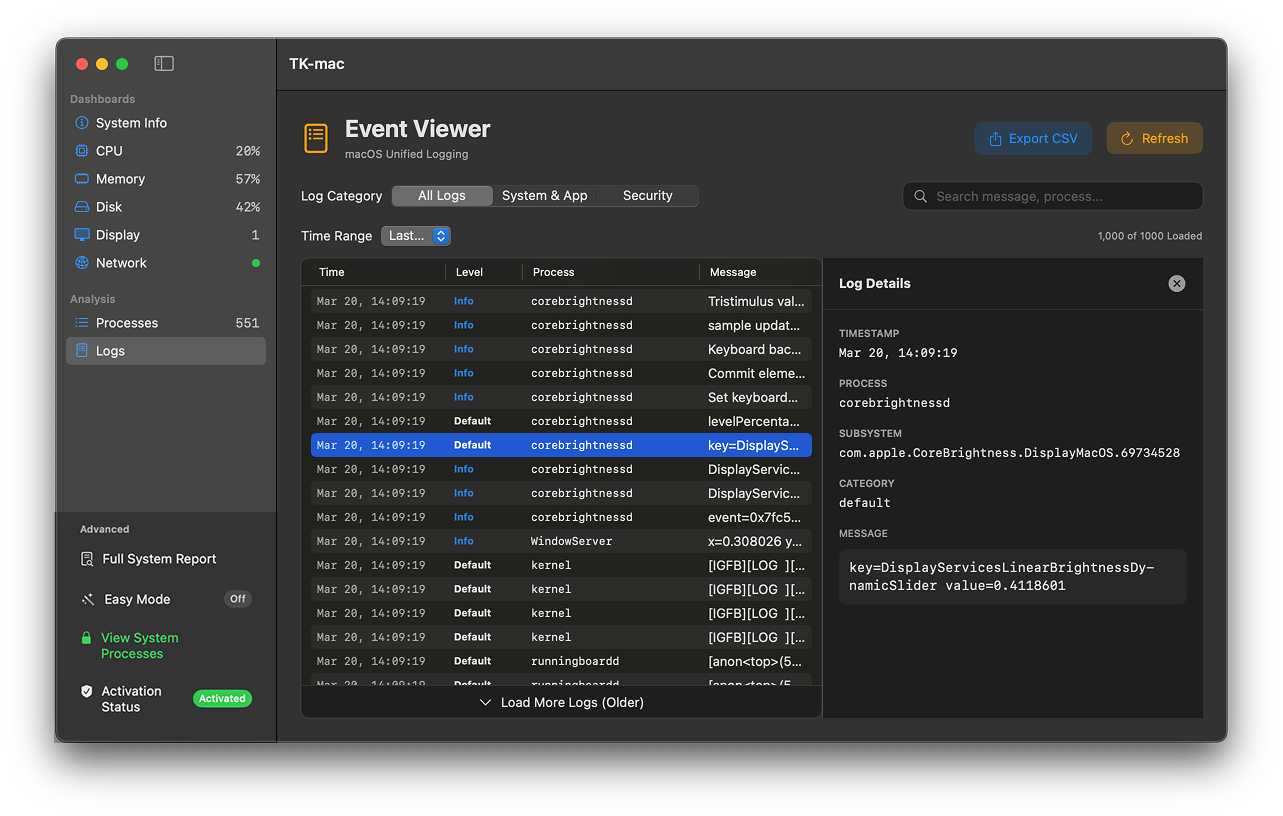
Go beyond surface-level monitoring. Keep a watchful eye on system events, application behavior, and security logs in one unified, high-performance view.
Deep-dive into your data with powerful search filters and export your findings instantly as a CSV for external auditing or records.
Don't get buried in data. Select specific custom timelines to isolate events from an hour ago or a week ago with precision.
Monitor System & App logs along with Security events in real-time. Hit Refresh for an instant update on the newest events.
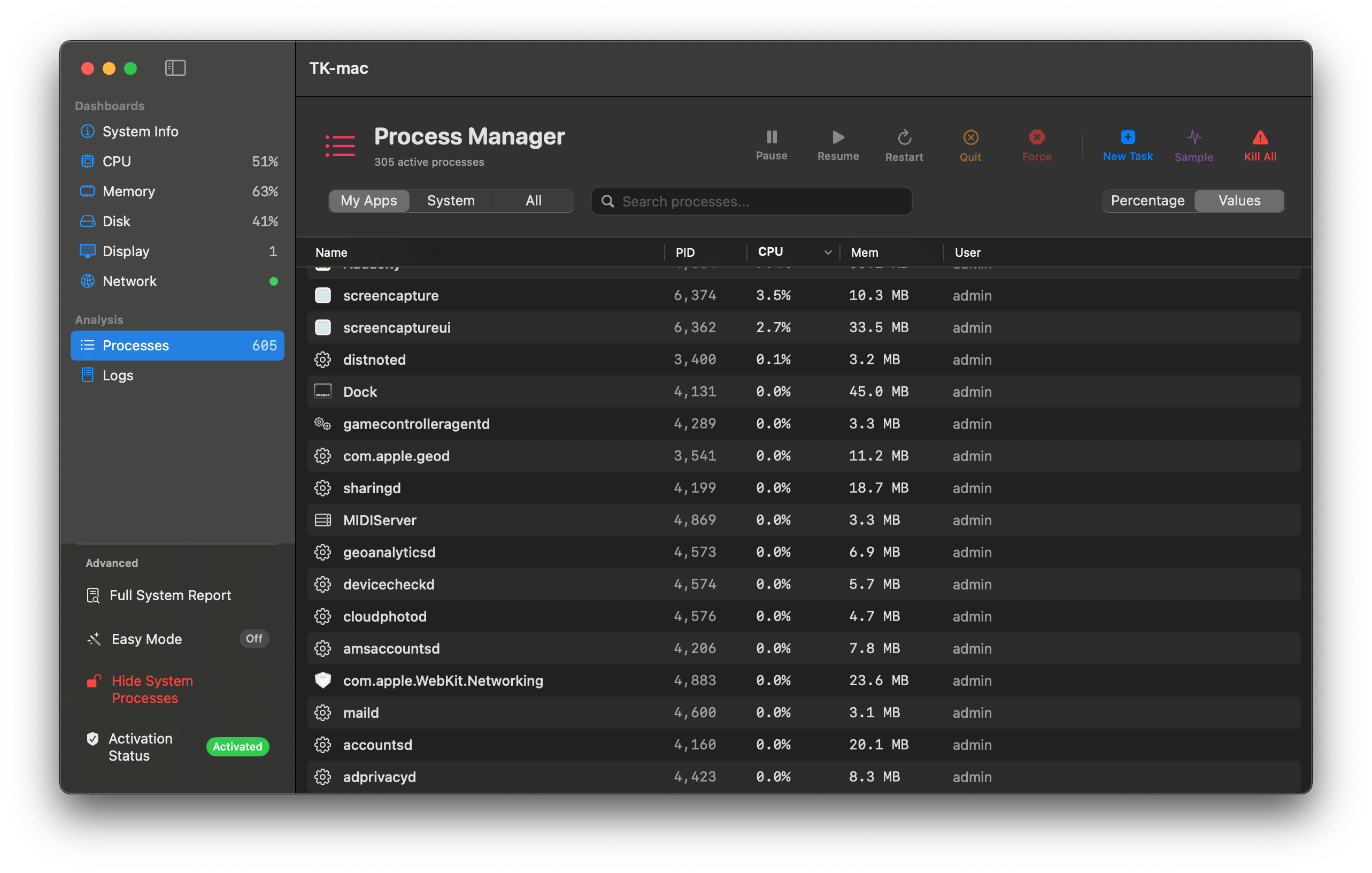
Easily navigate active applications, background services, and root-level processes. Execute precise commands and gain unprecedented visibility into your Mac's performance with a single click.
Toggle between My Apps, System, or All Apps. Unlock Root-Level visibility to monitor hidden background tasks, and use the search bar to instantly find any process by name or ID.
Take charge with targeted actions: Pause, Resume, Restart, or Force Quit apps. Manage your entire workspace instantly with Quit All Apps, or launch processes via the New Task runner.
Profile specific processes with live, second-by-second CPU and memory tracking. Generate detailed performance graphs for up to 60 seconds and easily export the results as a PDF.
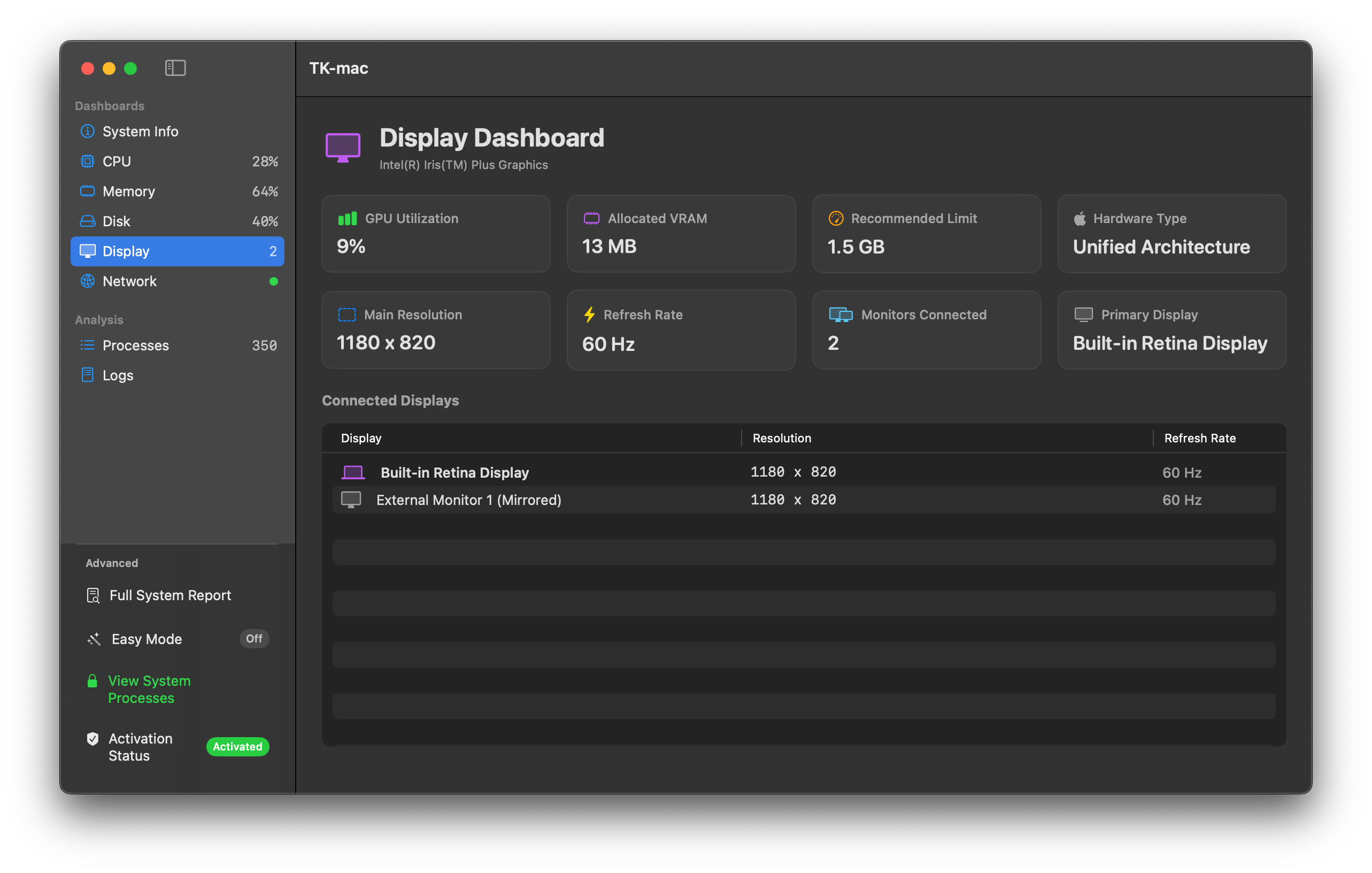
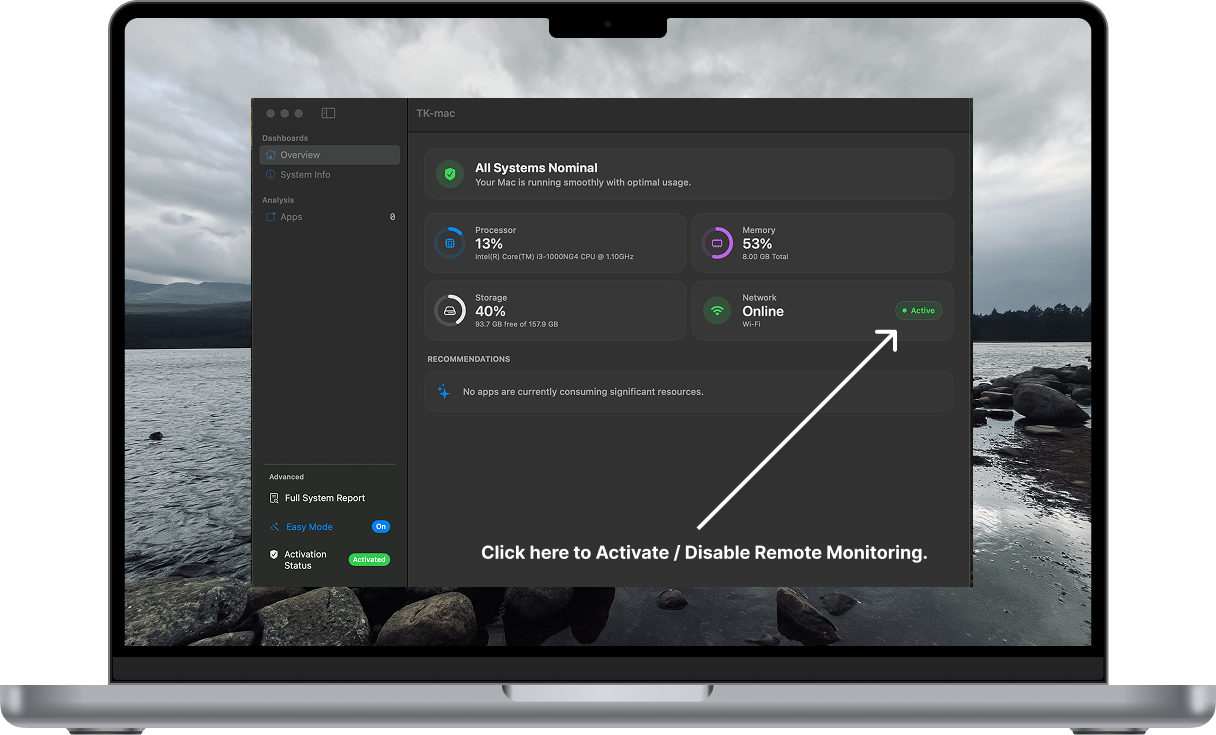
Experience a beautifully color-coded dashboard of your Mac's vital signs. Monitor your Processor, Memory, Storage, and Network connections effortlessly, and pinpoint resource-hogging apps in real-time.
Stop hunting for runaway processes. TK-mac intelligently groups scattered background tasks (like Safari or Chrome helpers) so you can terminate them and reclaim your memory with a single click.
Never guess how your Mac is doing. The Hero Status view dynamically shifts from "All Systems Nominal" to "Critical" based on live hardware thresholds, guiding you to take action.
Say goodbye to endless scrolling. We combine sub-processes and background daemons into a single, unified view, revealing the true performance footprint of your active applications.
Step away from your keyboard without losing sight or control of your system. TK-mac includes a built-in, secure local web server to broadcast your dashboard and management tools to your Wi-Fi network.
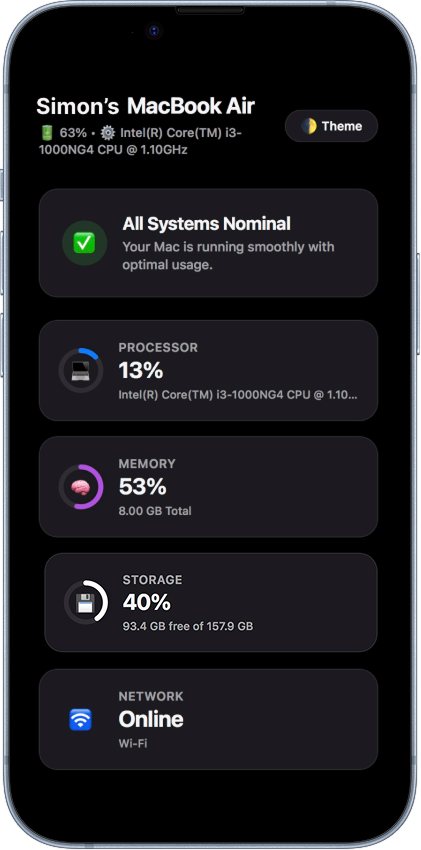
Toggle the remote server on directly from the Network widget and securely access your Mac's live metrics from your iPhone, iPad, or any secondary device.
Don't just watch your stats, take action. Force quit unresponsive apps, eject connected external drives, or safely shut down your Mac right from your phone's browser.
Just open Safari or any web browser on your phone, type in your local IP address (e.g., http://192.168.x.x:8080), and manage your Mac instantly. You can also customize the broadcast port in the settings to avoid network conflicts.
"As someone who really missed the Windows Task Manager on MacOS, TK-mac is the closest alternative I've found. It's clean, has a bunch of useful features and the menubar app is particularly useful."
"Being both a Mac and Windows user, I always felt macOS lacked something like the straight forward Windows Task Manager. TK-mac fills that gap really well."
"TK-mac has made it much easier for me to understand what’s happening on my Mac without the hassle of complicated system monitors. The interface is clean, fast, and intuitive, allowing me to quickly check important performance details at a glance. If you're looking for a simple, Windows Task Manager-like experience on macOS, TK-mac is a truly valuable tool."
"TK-mac caught my attention early on because it does exactly what a good Mac app should, it stays out of the way and just works. The interface is clean and intuitive, and the overall experience feels thoughtful rather than bloated. As an early user I have genuinely appreciated seeing a developer who listens to feedback and is clearly focused on building something worth using. If you are looking for a lightweight Mac app that respects your workflow, TK-mac is worth your time."
Try TK-mac risk-free for 7 days. No credit card required upfront.
Unlock complete visibility and total control for a single Mac device.
Perfect for power users managing both a desktop and a MacBook.
Whether you run into an issue, want to request a new feature, or just want to say hi, we're here to help.
taskmacos@gmail.comEverything you need to know about TK-mac.
TK-mac requires macOS 14.6 or later. It is fully optimized for both Intel and Apple Silicon chips to ensure maximum performance and battery efficiency.
Once you download and install TK-mac, your 7-day trial begins automatically. You get full access to all features with no credit card required upfront.
Absolutely. TK-mac is strictly notarized by Apple, meaning it has been scanned for malicious software.
Not at all. TK-mac is designed to be lightweight and efficient. It is optimized to monitor system performance with minimal resource overhead, ensuring that your Mac’s speed and responsiveness remain unaffected while the app is running.